01
4K & HD backgrounds
Browse wallpapers in 4K and HD for a fresh look on your phone.
A fresh view, every day
Browse 4K wallpapers and HD backgrounds, preview the ones you like, and choose a favorite for your home screen or lock screen.
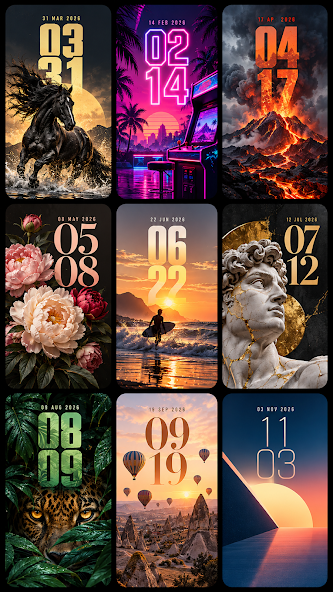
A simple way to find a background you’ll enjoy seeing every day.
4K WALLPAPERS & HD BACKGROUNDSMade for your screen
Explore backgrounds, see how they look, and choose the one that fits your phone.
Browse wallpapers in 4K and HD for a fresh look on your phone.
Look through a range of images and find a background that catches your eye.
Take a look at an image first, then decide if it is the one for your screen.
Choose a favorite wallpaper for your home screen or your lock screen.
Save a selected image to your device when you want to keep it close.
Use the launcher to organize your home screen, if you choose.
Access installed apps and search from one place in the launcher.
Three simple steps
Choose a background at your own pace, with a preview before you set it.
Explore the available wallpapers and backgrounds.
Open an image to see it before making your choice.
Set it for your home or lock screen, or save the background to your device.
An optional extra
The app also offers a launcher to organize your home screen and access installed apps and search in one place. You can use this option if it suits you.
A look inside
Tap any screenshot to view it larger.
Only save or set images that you have permission to use. Wallpaper availability and display may vary by device. Some features or images may require an internet connection, and ads may appear.
4K Wallpapers & HD Backgrounds
Explore the app on Google Play and choose a background for your screen.
View on Google Play